Bank Statements
There are some demo bank statements available for retrieval from the Demo Bank.
For the retrieval of the demo bank statements to be possible from the Bank Statements page, the demo bank statements need to be imported into the Demo Bank application first. Information on how to import the demo bank statements and how to upload your own demo bank statements can be found on the Demo Material page.
Retrieval of demo Bank Statements
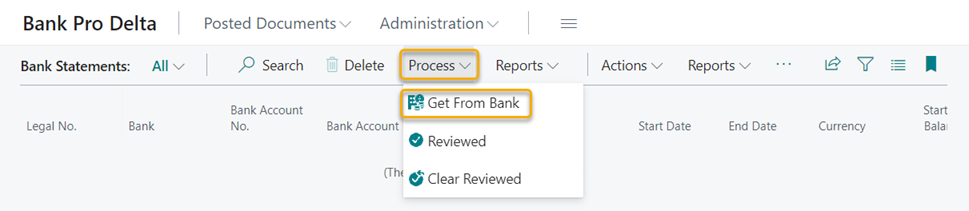
To retrieve bank statements from the Demo Bank, go to Bank Statements.
Click Get From Bank from the Process menu. After the retrieval is completed, a notification message is displayed informing you that the retrieval of the bank statements was successful or that there were no new bank statements to retrieve.
Viewing and managing bank statements
Click on the bank statement number under the heading Legal No to open the bank statement.

Information on which details are displayed in the bank statement, how to mark a bank statement as Reviewed or how to print a bank statement can be found on Bank Statement page.